What's New
Product updates, improvements and fixes across the KlickAnalytics platform.
New Navigation!
KlickAnalytics is always updating new data, applications and much more. We've enhanced our product 'Navigation' system with the idea that our users;
- Can access all applications in an easy way
- You can access all multi-asset class application from the top menu bar
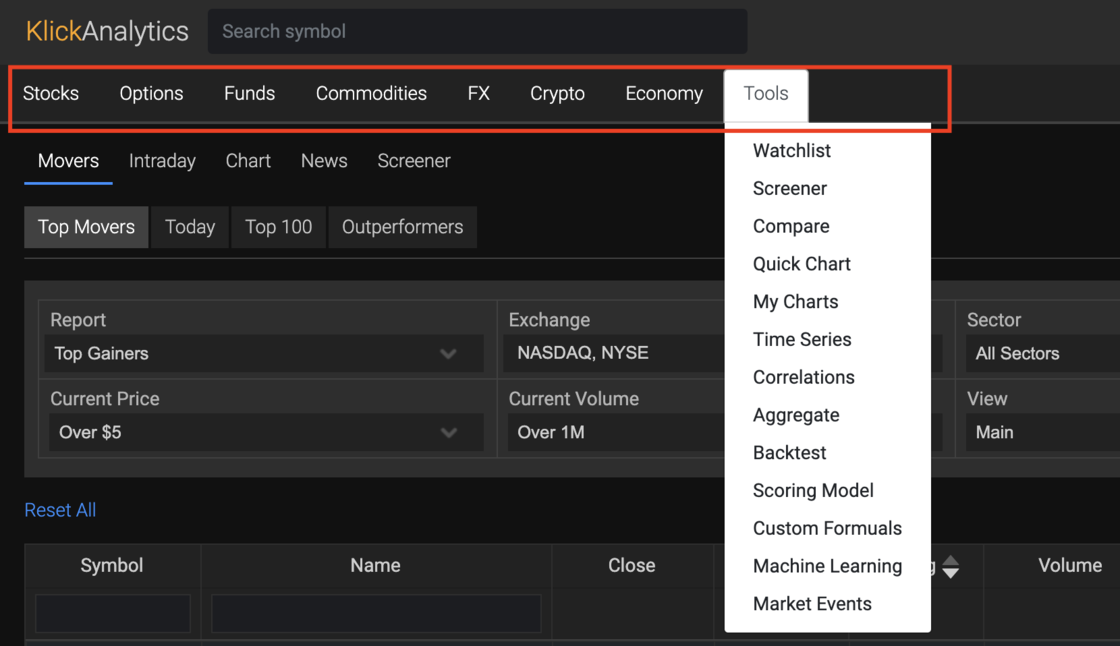
Just simply click on the top menu bar and access your application at once!
Access all financial calendars at one place
Now you can access all the financial calendars in one place via our 'Calendar' app. The calendar app will allow you to view;
- Dividends
- Splits _ Earnings
- Analyst Recommendations
- Price Targets
- Insider Trades
- SEC Filings
- IPOs
- ESG
- Threshold List
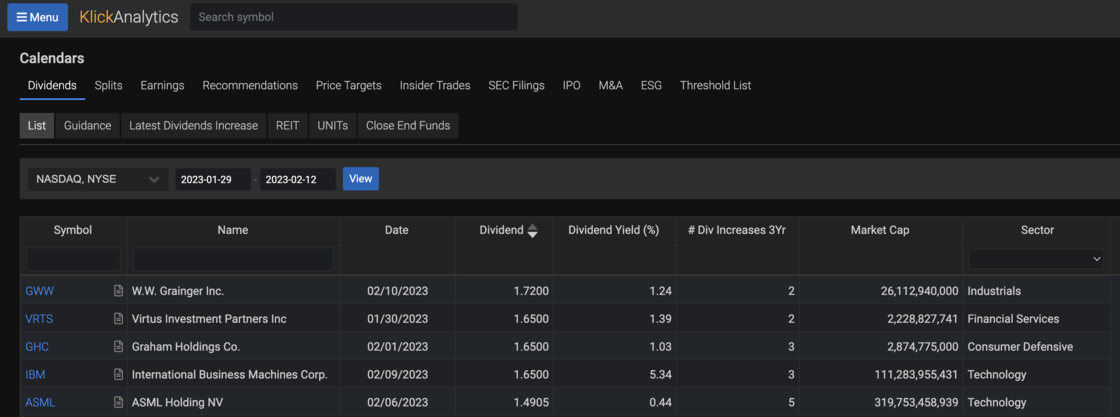
To access: From the top menu, click on 'Calendar'
Access Markets via Chart Browser
Chart Browser will allow you to view historical chart performance on global symbols. You can access the symbols from;
- Major Market Groups like SPDR Sectors, Major Commmodities etc
- Symbols from your watchlist and more
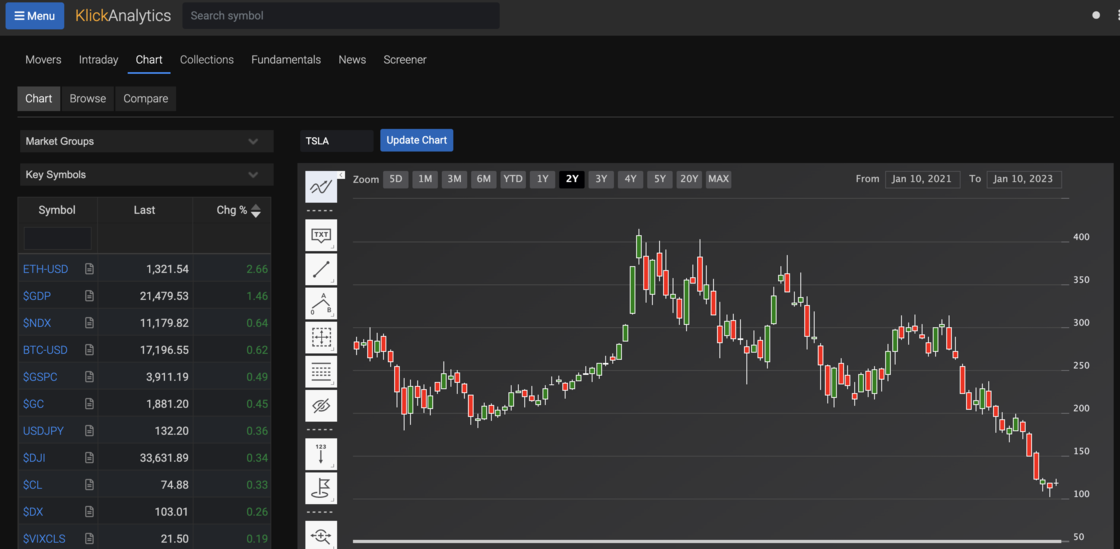
This way our users can analyze global symbols performance at a glance, all from a single app called 'Chart Browser'
To access: From the 'Menu' button, click on Movers > Chart
Quick support navigation menu
Our aim to to provide a simple, and dynamic interface to our users. With that in mind, we've updated our top menu with a simple drop down support menu.
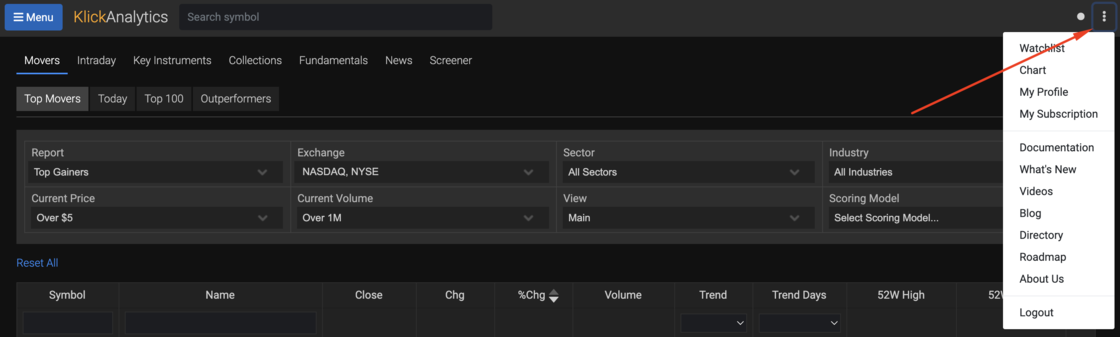
Once you logged-in to KlickAnalytics platform, you can access this menu, by going to the upper top right hand side corner and click on vertical ellipsis icon.
This single menu will allow you to quickly access to;
- Watchlist
- Chart
- Your profile
- Your Subscription
and in addition to above, provide important support documentation like;
- Main documentation
- What's New
- Blog
- Directory of all symbols
- Our Roadmap
- About Us
- and logout
Quickly view all major key stats for a company
We've updated the main symbol quotes page to now include the following key stats on the following categories;
- Trading
- Fundamentals
- Revenues
- Dividends
- Shares
and more.
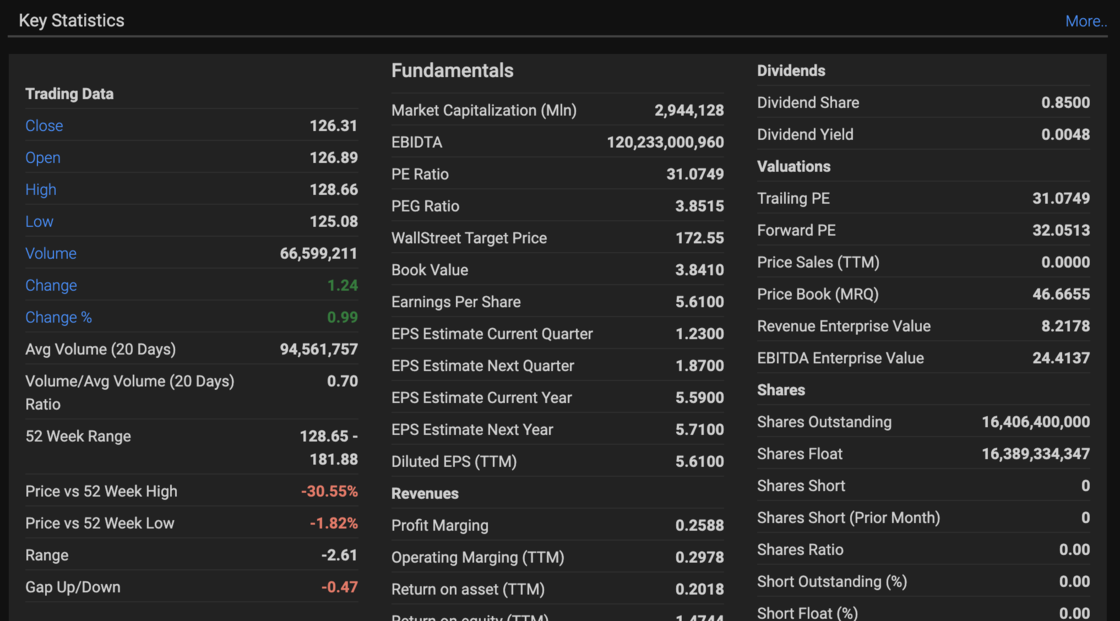
In total, we have around 30+ key stats available for you. This will allow our users to quickly view all the main key stats of any global symbol at a glance.
To view: Search any symbol say TSLA and then click on Overview > Quotes
Realtime data timestamp on symbol
KlickAnalytics provide realtime prices for US stocks via our broker feed. We update the symbol information with the date and timestamp which reflects the last updated price of the symbol in Eastern Standard Time (ET)

Welcome to KlickAnalytics Blog!
We have created a new blog. This blog will help our customer by keeping them
- Updated on all the latest updates
- How To's on using various apps on our platform
- Market Commentaries and much more.
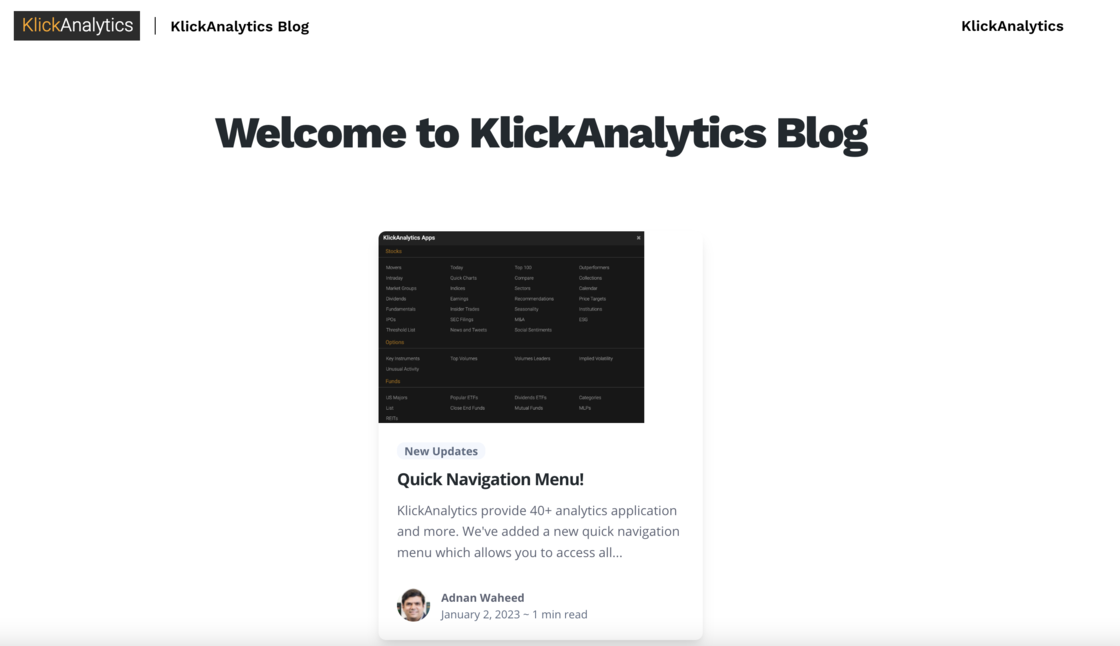
Our goal is to keep our custom informed with all the platform and market updates.
New Quick Navigation Menu!
KlickAnalytics provide 40+ analytics application and more. We've added a new quick navigation menu which allows you to access all the main application across all categories like Stocks, Options, Funds, Crypto, Currencies, Tools and much more at the same time.
To access just click on 'Menu' button, and it will popup with the list of all the major apps across the categories.
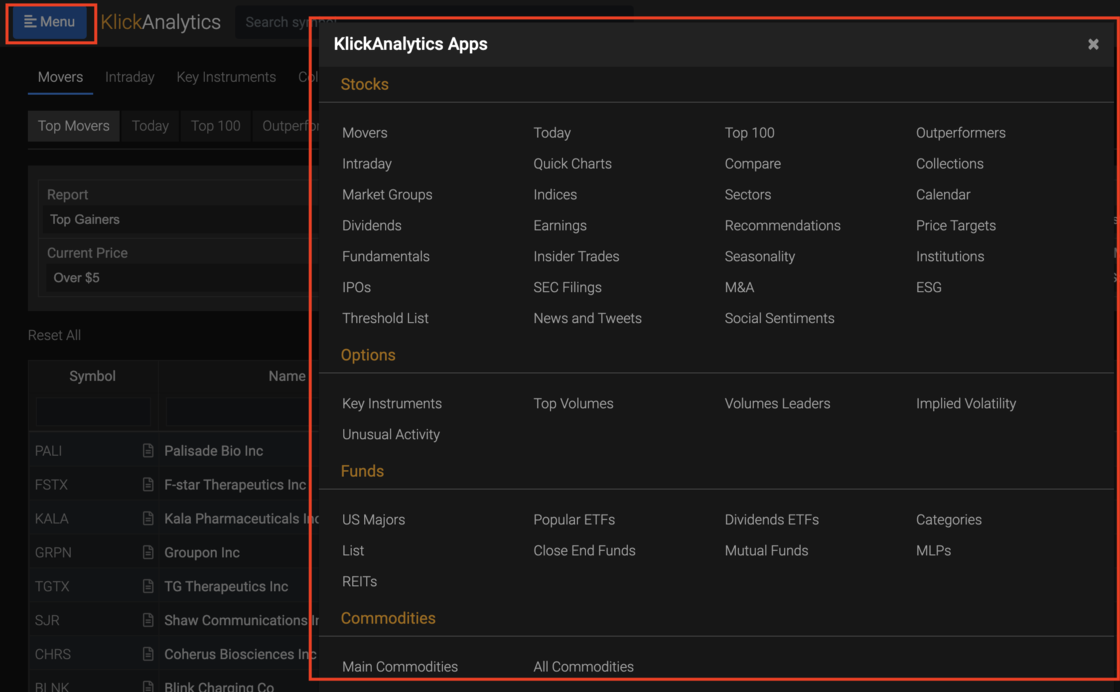
In this way, our users can view all major apps, and can access them directly as well.
Quick access to platform 'documentation'
We've added a quick link to access the documentation of our platform on the top navigation bar. This will allow our users to quickly look at the various documentations of the KlickAnalytics platform.

To access: From the top navigation bar, click on help icon.
View all major US Funds performances!
We've added a new app called 'US Majors' under our Funds offerings.
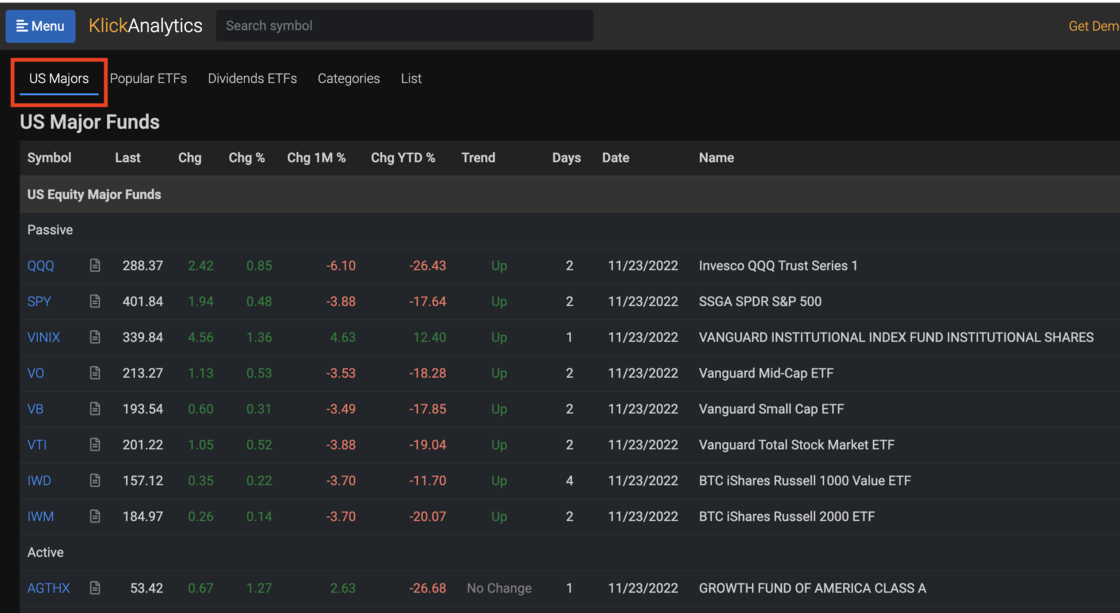
The above will allow our users to quickly view a snapshot performance view of all major funds traded in US markets and much more.
To access: Click Menu > Funds > ETFs