What's New
Product updates, improvements and fixes across the KlickAnalytics platform.
More Stock News added
We are delighted to announce a significant enhancement to our news stories section, featuring a comprehensive selection of stock news. This curated selection offers users access to major news updates concerning all stocks traded on the US exchange. Furthermore, users can conveniently access succinct news summaries alongside the corresponding company symbols, providing a streamlined and informative platform for staying up-to-date with stock market developments.
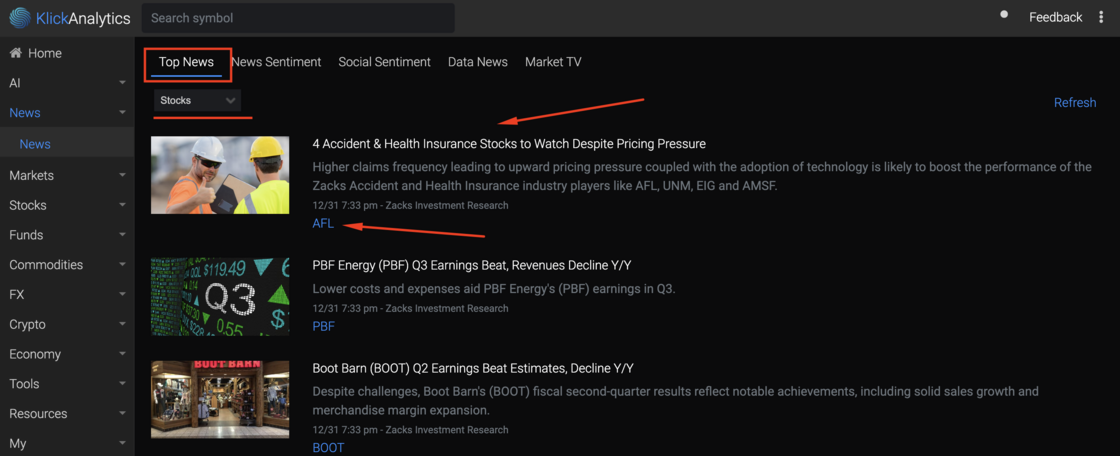
To access:
From the left menu, click on News > Top News > and select drop down "Stocks"
News stories with quick summary
We are pleased to introduce an enhancement to our news section, which now offers users the ability to view news stories alongside their corresponding images and concise summaries. This enhancement allows users to effortlessly gain a comprehensive overview of the news at a glance, providing a more efficient and engaging news browsing experience.
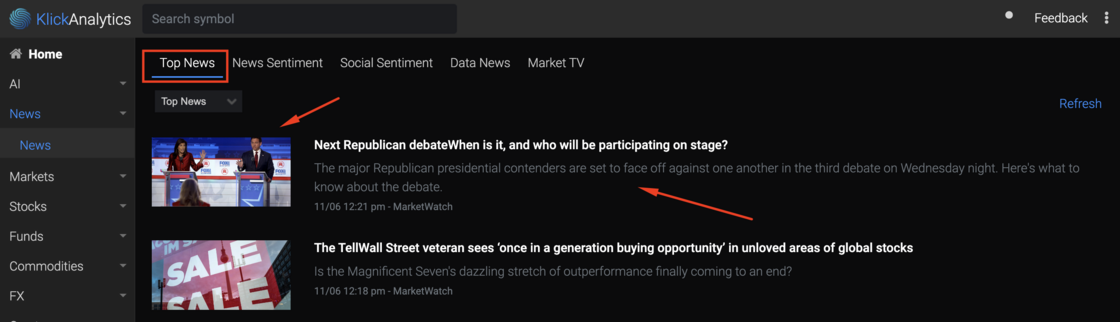
To access:
From the left menu, click on News > Top News
View top trending symbols
Stay ahead of the game with our dynamic KlickAnalytics engine! This cutting-edge tool keeps a constant eye on the market, sifting through the latest market news and price fluctuations. The result?
View on symbols and companies making significant price moves and grabbing headlines. With this powerful resource at your fingertips, you'll unlock a world of trading opportunities and more. Don't miss out on the chance to seize the day in the market!
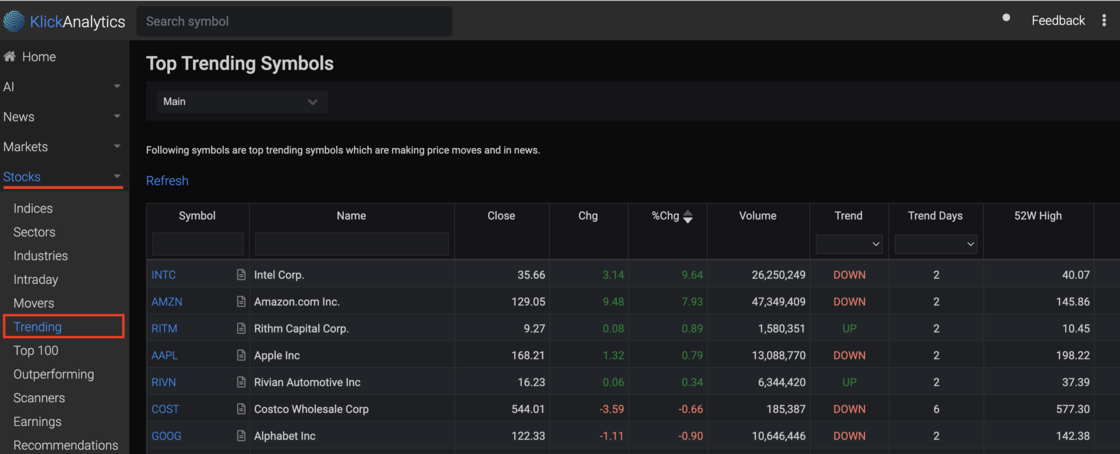
The data updates on every 10mins interval.
To view:
From the left menu, click on Stocks > Trending
New navigation layout
We're thrilled to announce a major update that's all about making your KlickAnalytics experience smoother and more efficient than ever before. With our platform constantly expanding, we understand the importance of quick and easy access to all your favorite apps. That's why we've revamped our navigation system to bring you a host of fantastic benefits!
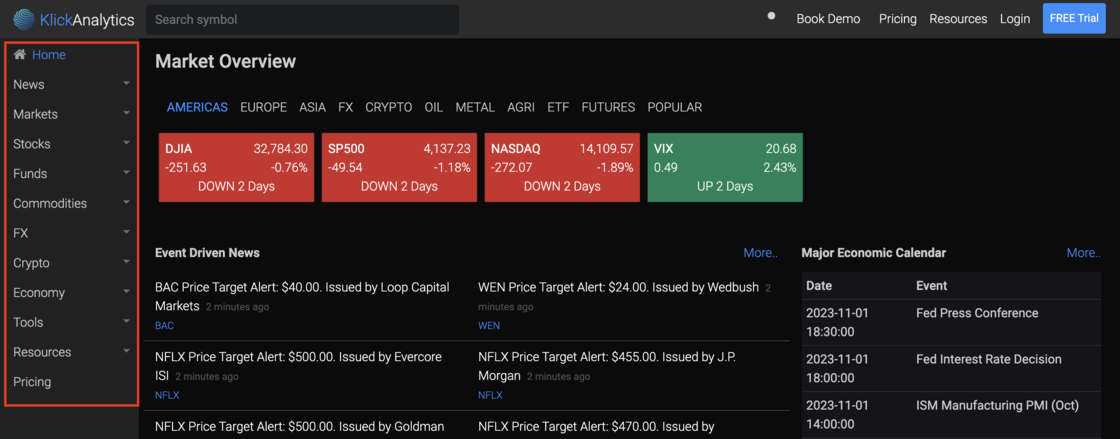
🌐 Simplified Access: Accessing your go-to apps has never been easier. Say goodbye to the hassle of digging through menus – now, with just one simple click, you can unlock a world of possibilities.
💼 Streamlined Sidebar: Our new and improved sidebar, located conveniently on the upper left-hand side, is your gateway to a seamless experience. It's your one-stop-shop for all things KlickAnalytics, putting you in control of your digital world.
🚗 Turbocharged Access: With this enhanced navigation, you're just one click away from accessing your favorite applications, tools, and features. This means you'll spend less time searching and more time doing what you love on KlickAnalytics.
✨ Elevate Your Experience: Whether you're a seasoned pro or a brand-new user, our updated navigation will take your KlickAnalytics journey to the next level. Explore your data, boost your productivity, and make informed decisions effortlessly.
This update is all about you – our cherished users.
We're committed to continuously improving your experience, and we believe that easy access to our growing suite of 40+ apps is the key to your success. Try out the new sidebar navigation today and unlock the full potential of KlickAnalytics!
Ready to discover a smoother, more efficient KlickAnalytics? Get started now and experience the magic of simplified navigation for yourself! 🌐💫📈
View all data news by a symbol
Experience the dynamic pulse of 'Data News' as it delves deep into the latest market happenings, crafting engaging articles through the ingenious automation of KlickAnalytics' data-driven content engine.
Now our users can view all the 'Data News' related any global symbol via our new app called 'Symbol Data News'
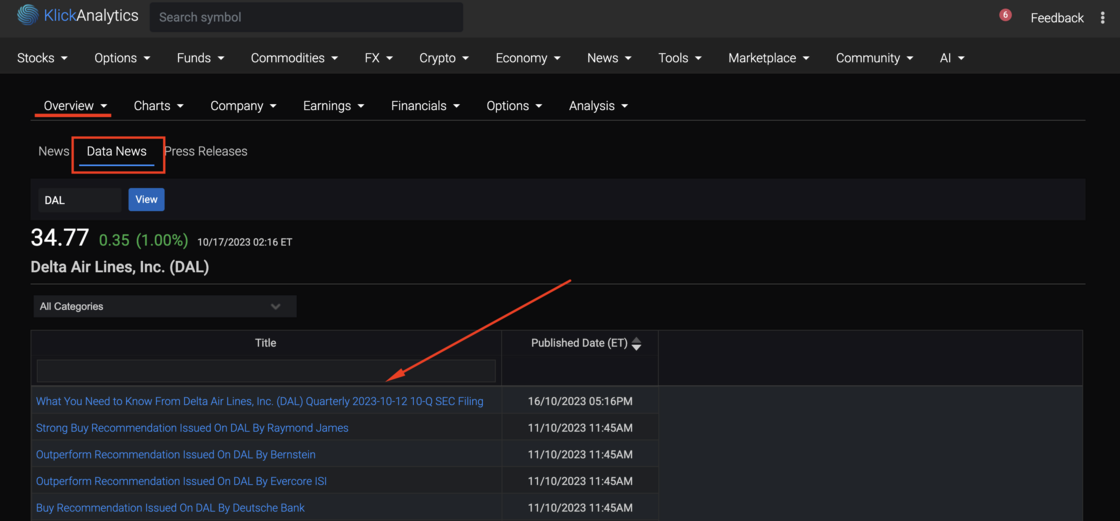
To view:
Search for any symbol, say DAL then click on dropdown Overview > News > Data News
Added coverage of Dubai - DFM Markets
KlickAnalytics vision is to provide global financial markets information.
Today, we've added the first exchange in the Middle East i.e.
Dubai Financial Markets - DFM.
Users can access price related information on following instruments traded on DFM markets;
- Stocks
- Funds
- REITs
- Exchange Traded Funds (ETFs)
- and much more.
All the symbols traded in DFM ends with .DFM e.g. The code for Dubai Financial Markets symbol will be (DFM.DFM)
More and more global exchanges will be coming soon to KlickAnalytics.com platform soon..
For more information;
Try Price Performance on DFM.DFM
We've start our crowd funding campaign
We are 'testing the waters' to gauge investor interest in an offering under Regulation Crowdfunding. No money or other consideration is being solicited. If sent, it will not be accepted. No offer to buy securities will be accepted. No part of the purchase price will be received until a Form C is filed and only through Wefunder’s platform. Any indication of interest involves no obligation or commitment of any kind.
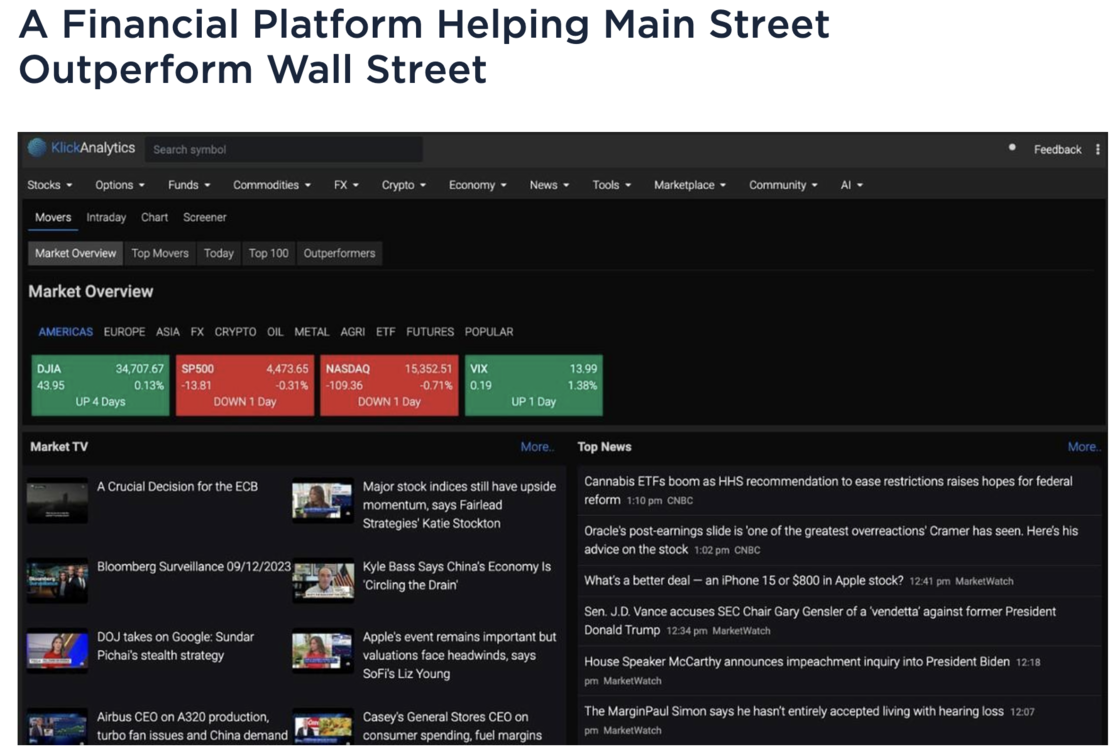
For investment opportunities:
Checkout https://wefunder.com/klickanalytics/
View all help videos gallery!
We have added an enhancement to our video library, where our users can quickly view our videos in a gallery style format.
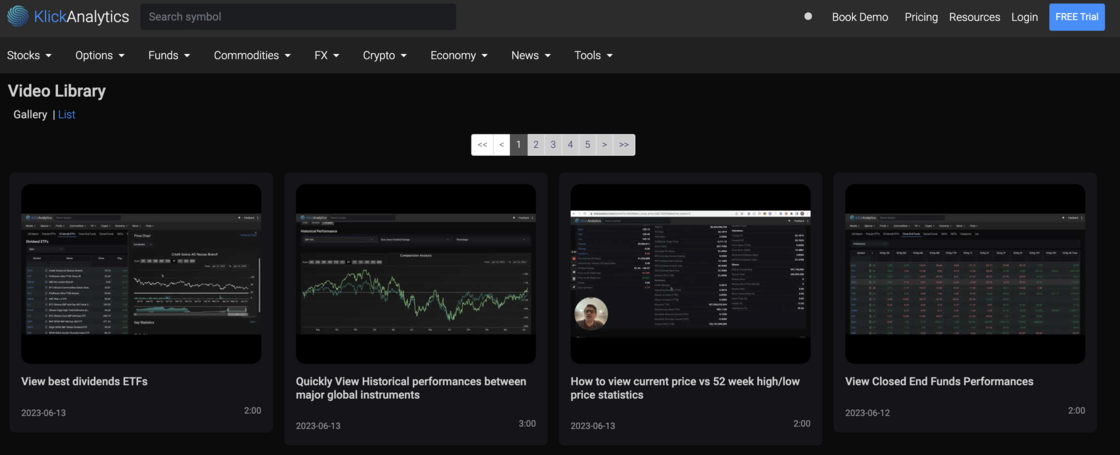
This will allow our users to quickly view all the videos at a glance. We are committed to provide more and more video to help our customers to uncover our product features and look for trade opportunities and much more.
To access: From the top header, click on Resources > Videos
Apply technical indicators on your custom formulas!
Now you can apply full technical indicators, draw trend lines and much more on your own custom formulas.
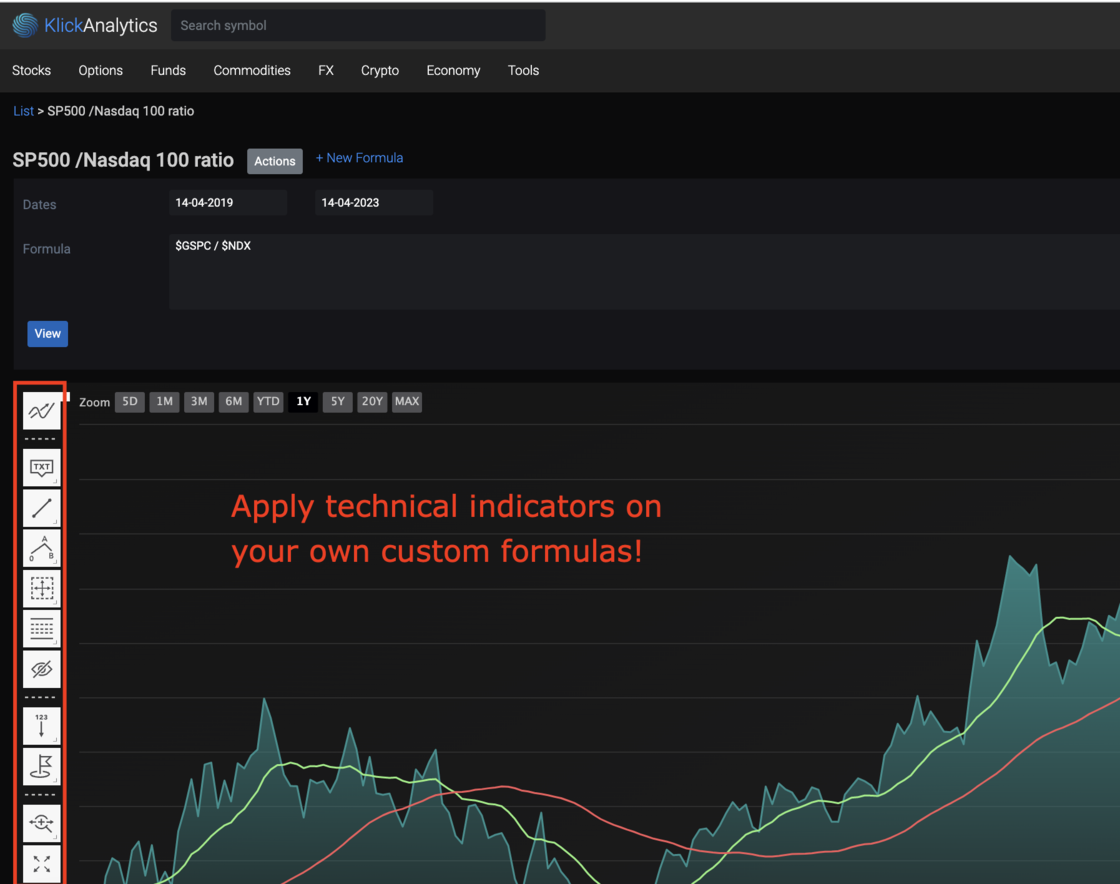
To access: From the top menu, select Tools > Custom Formulas
Explore Best/Worst Hours of trading
We've added a new app called 'Best/Worst Hours' which looks at intra-day prices for an equity instrument, and then calculate the performance of stock prices within 1 hour interval from 9:20am ~ 4:00pm New York Trading time.
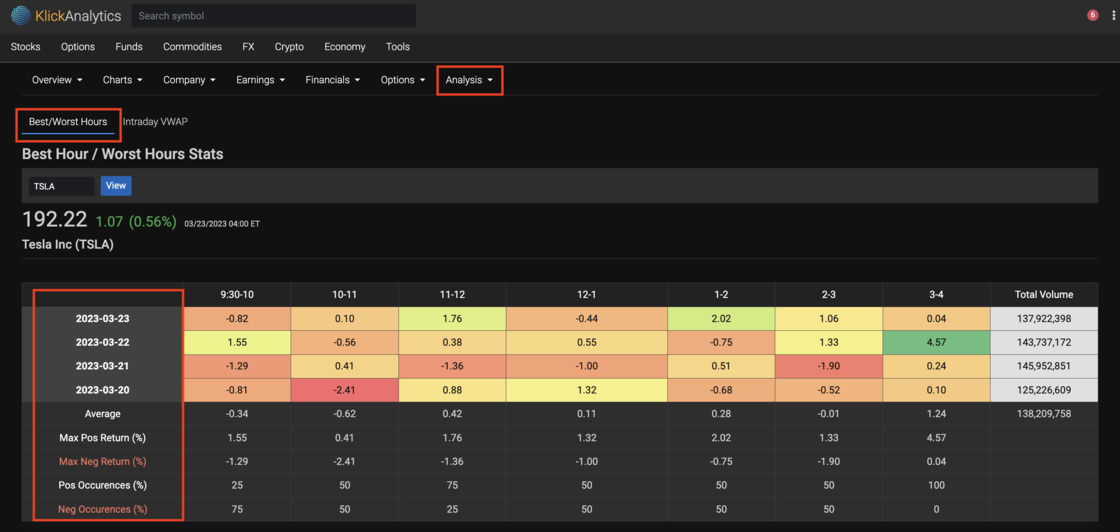
The new updates will give our users a quick ability to visualize the latest intra-day performances within each 1 hour interval of trading, along with stats like;
- Maximum/Minimum Positive and Negative returns
- # of Positive/Negative occurrences and more.
To access: Search for an instrument say TSLA, then from symbol menu, select Analysis > Intra-day > Best/Worst Hours